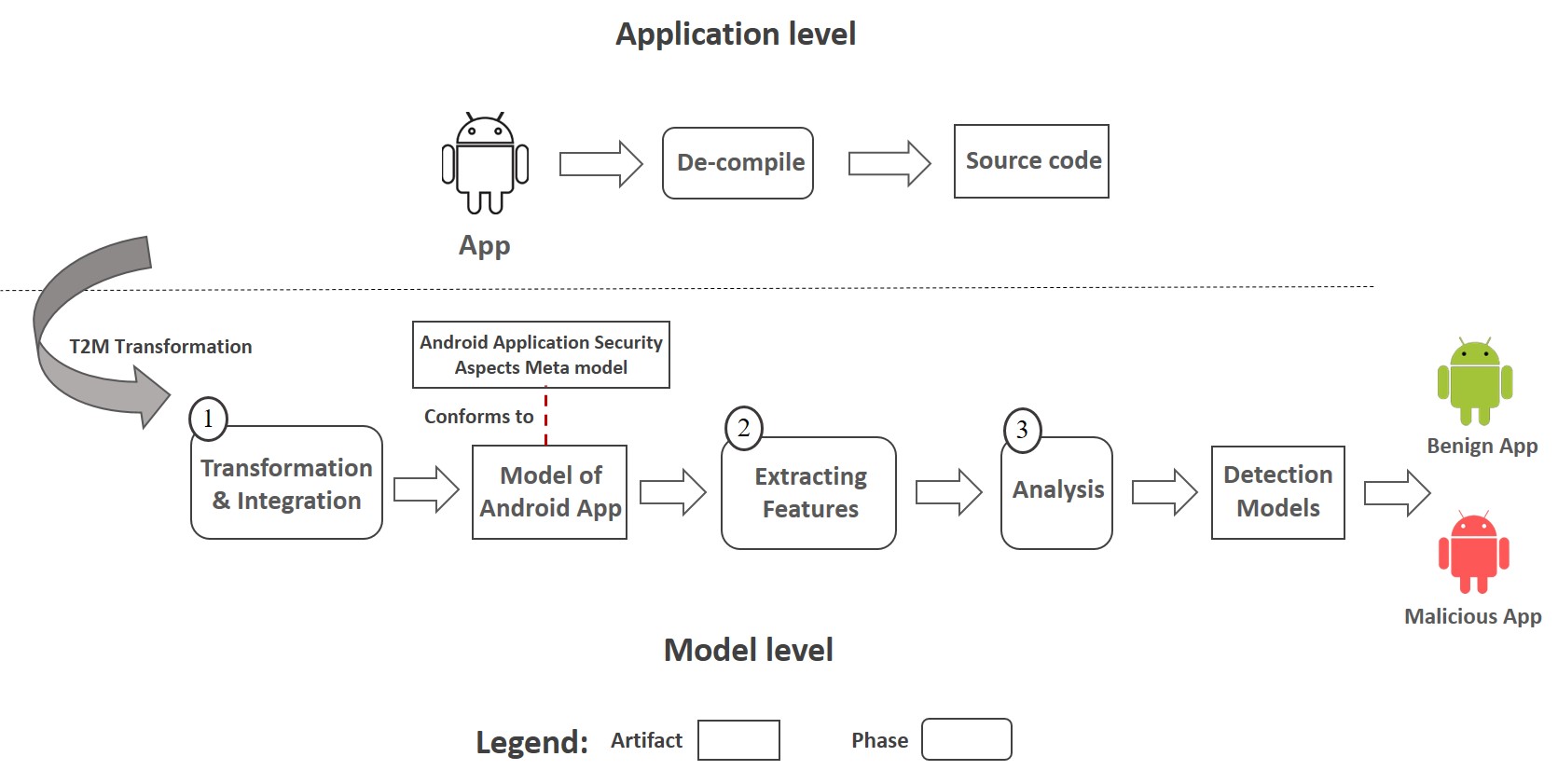
MbMDRoid is an open-source tool for the Eclipse IDE platform. In this tool, a novel approach is presented for conducting static analysis to detect Android malicious apps. This approach is based on Model-Driven Reverse Engineering (MDRE), which uses the two main methods of malware detection, including Inter-Component Communication (ICC) analysis and the Permission-based method.
MbMDRoid relies on several tools and technologies from Model-Driven Engineering (MDE) ecosystem.
- MoDisco: it is used to obtained initial models from the source of the app. You can download it from HERE.
- ATL: this language is used to extract security information contained in the Android app to a domain-specific model that allows representing this information in the EMF-based model.
For using the MbMDRoid tool, follow these instructions:
- Download the MbMDRoid plugin from HERE.
- Import the downloaded Plugin into Eclipse (i.e., malware.android.analysis file)
- Start a runtime Eclipse by selecting Run As > Eclipse Application (or Run As > Run Configurations… from the Eclipse menu)
- Import your Android app into runtime Eclipse
- Run the MbMDRoid tool as shown below (Figure 1).
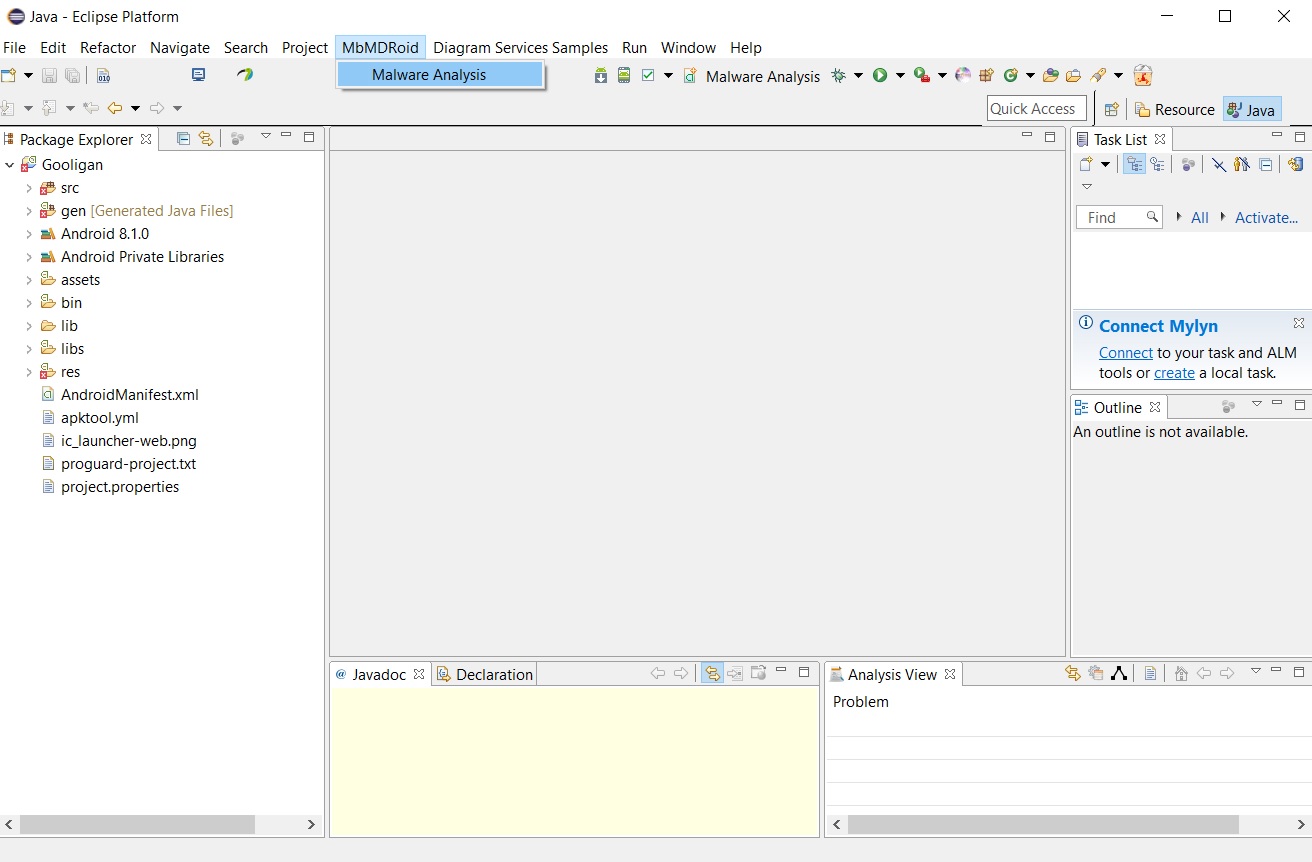
Fig 1. Running the MbMDRoid tool
6) Select your app and click Finish (Figure 2).
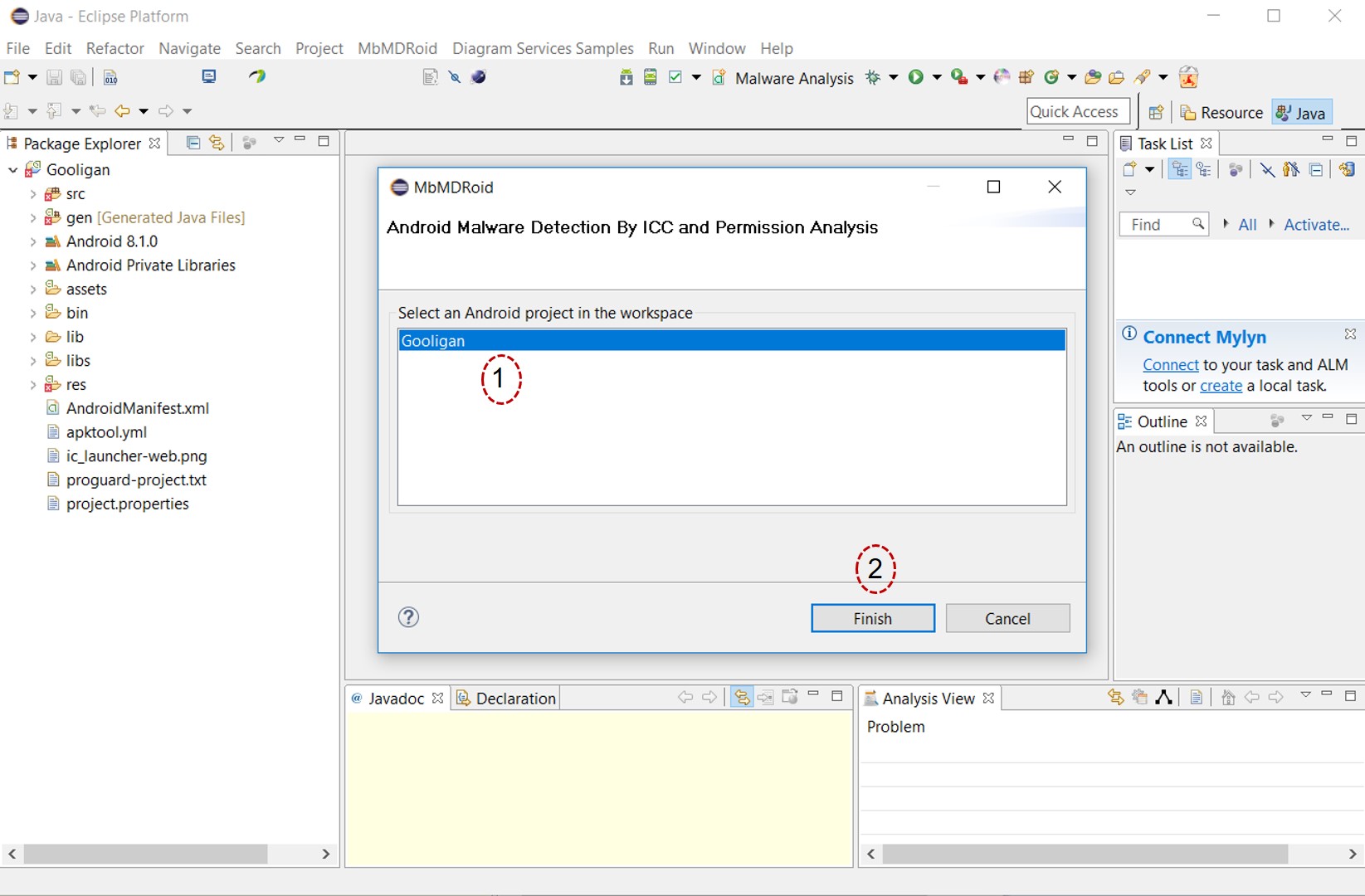
Fig 2. Selecting your app
7) After evaluating the app by MbMDRoid, result models of evaluation will be generated, i.e., AndroidSecurity.xmi, ICCPattern.xmi, and MaliciousPermissions.xmi. The required metamodels for displaying the result models is HERE.
The AndroidSecurity.xmi model (Figure 3) is the Android security model of the app. The details of this model are shown in Figure 4. As can be seen, in (a), this model has important information about the app, including information about the app components such as Activity (b), intents (c), intent filters (d), and the requested permissions (e).
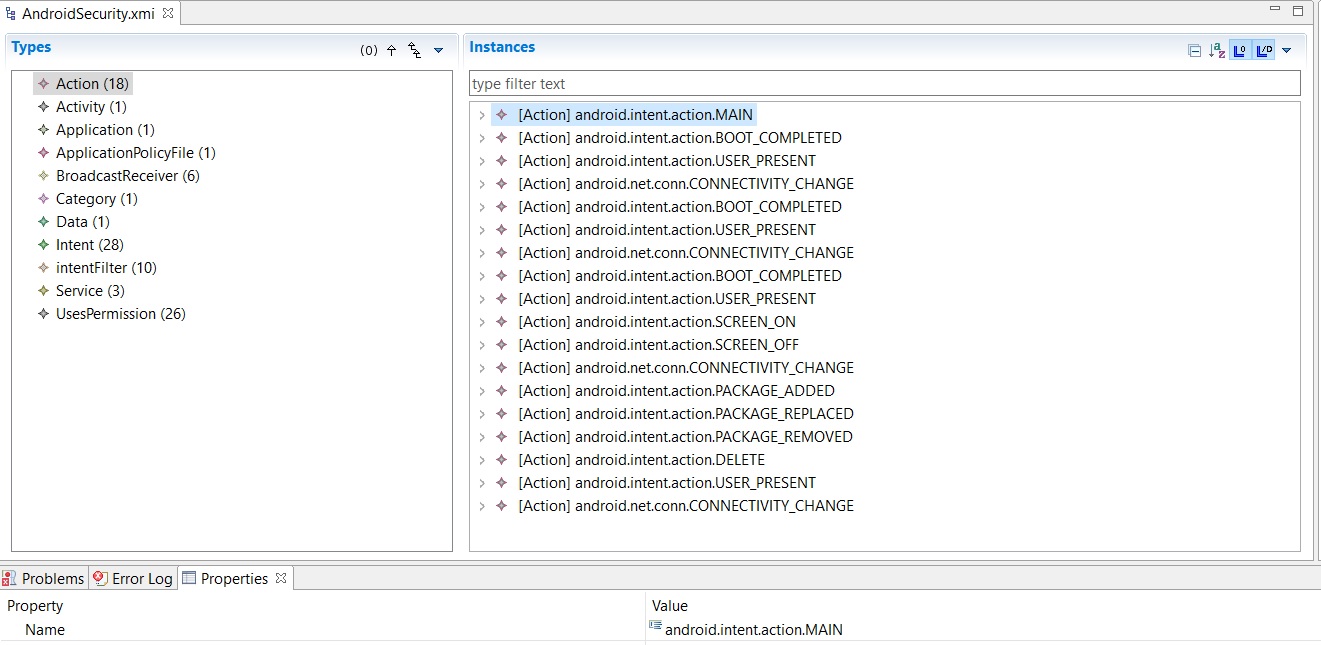
Fig 3. The AndroidSecurity.xmi model
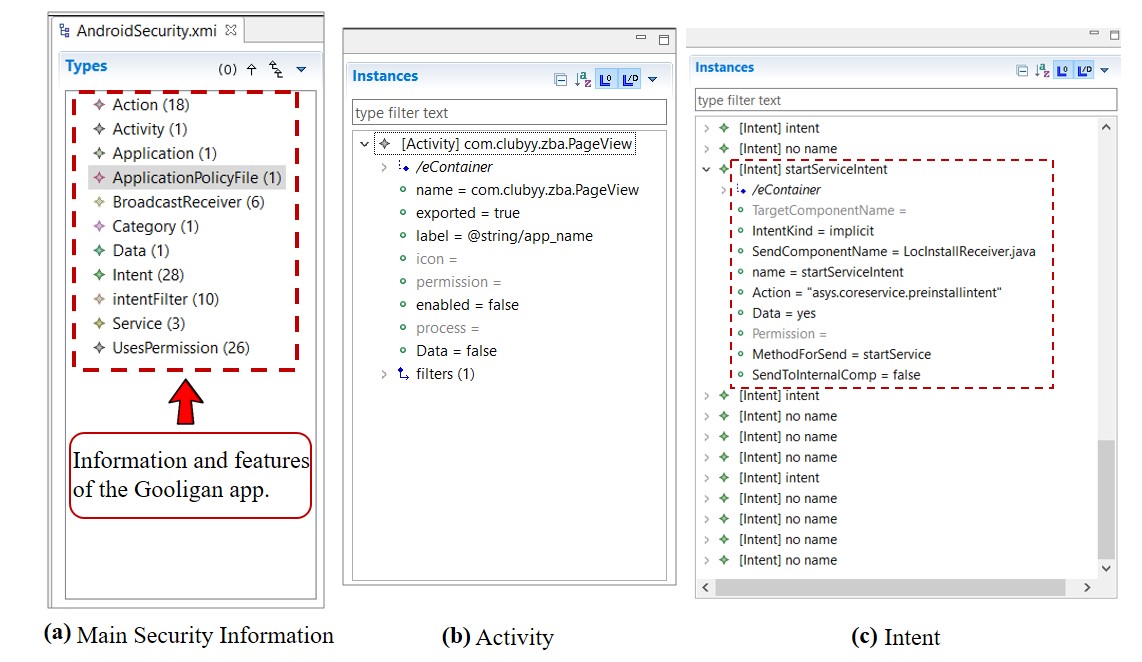
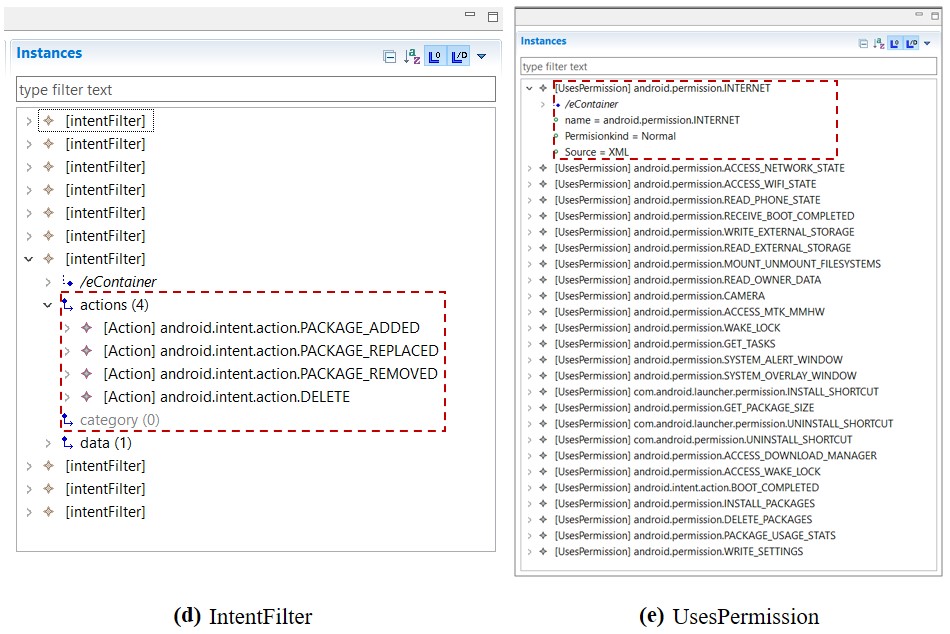
Fig 4. The details of the AndroidSecurity.xmi model
The ICCPattern.xmi model (Figure 5) is the detection model of ICC analysis. As can be seen, this model shows the results of examining all the ICC-related features, including the malicious intent filters (indicated by dashed rectangle) and features about the number of components and intents (indicated by solid rectangle).
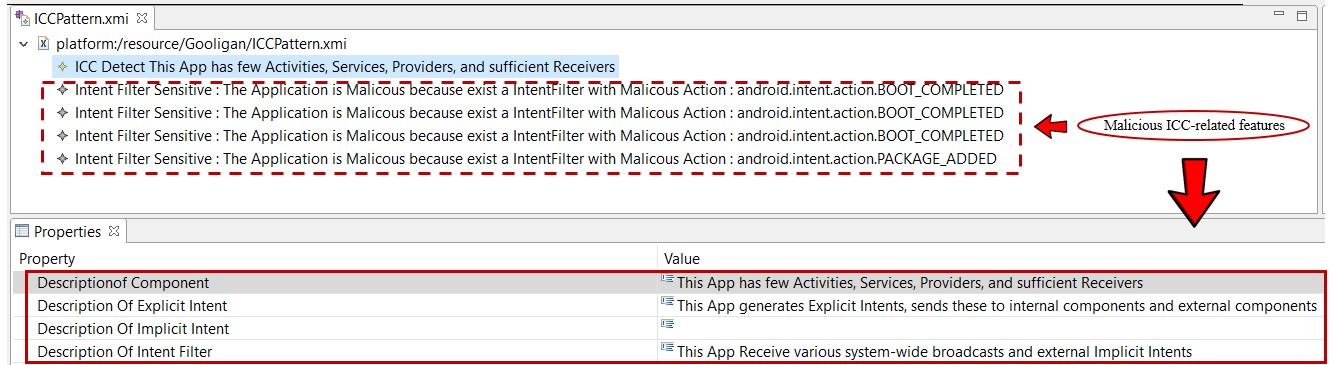
Fig 5. The ICCPattern.xmi model
The MaliciousPermissions.xmi model (Figure 6) is the detection model of permission analysis. As can be seen, the number of sensitive permissions of this app is six (indicated by dashed rectangle).
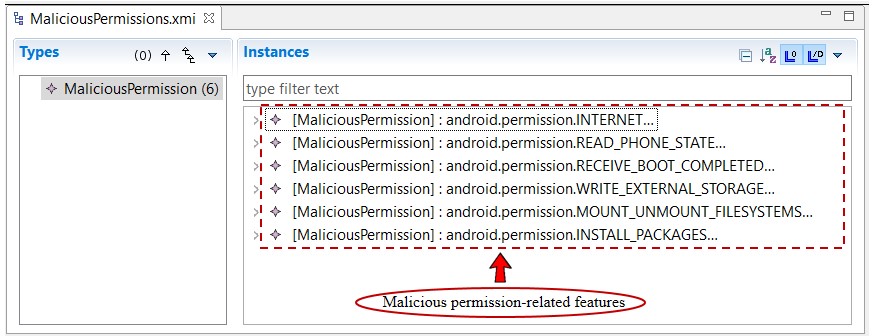
Fig 6. The MaliciousPermissions.xmi model


